# PicList
**Repository Path**: web/pic-list
## Basic Information
- **Project Name**: PicList
- **Description**: No description available
- **Primary Language**: Unknown
- **License**: MIT
- **Default Branch**: master
- **Homepage**: None
- **GVP Project**: No
## Statistics
- **Stars**: 0
- **Forks**: 0
- **Created**: 2026-08-09
- **Last Updated**: 2026-08-09
## Categories & Tags
**Categories**: Uncategorized
**Tags**: None
## README
## 📖 简介
**PicList** 是一款高效的云存储和图床平台管理工具,基于 PicGo 深度二次开发。它保留了 PicGo 的所有功能,同时新增了全面的云存储管理能力和多种实用功能以及全新的轻量化脚本系统。
无论你是需要整理云端文件、同步 Markdown 图片,还是轻松管理多个存储平台,PicList 都能通过其美观的界面和强大的插件/脚本系统,简化你的工作流程。
## ✨ 特色功能
- **📂 全面的云存储管理**:支持在云端查看目录、搜索文件、批量操作以及使用正则表达式批量重命名。
- **🔄 高级同步功能**:支持相册云删除同步,以及通过 WebDAV/Git 在多台设备间同步软件配置/相册。
- **🎨 内置图像处理**:开箱即用的水印添加、图片压缩、缩放、旋转和格式转换功能,单图床粒度控制。
- **📝 脚本系统**:支持自定义各生命周期脚本,满足高级用户的个性化需求,同时无需`node`环境。
- **🌈 主题支持**:内置多种主题,主题仓库[PicList ThemeHub](https://github.com/Kuingsmile/piclist-themeHub),同时支持自定义主题和背景。
- **🔌 广泛的兼容性**:完美兼容 **Typora**、**Obsidian** 以及大多数现有的 PicGo 插件。
- **🛠️ 强大的实用工具**:支持上传队列、本地/SFTP 图床、预签名 URL 生成等。
- **🌐 全平台支持**:支持 Web 端表单上传,并可与移动端 APP **PicHoro** 配合使用。
## 📸 应用截图
上传界面
更多视图 (相册、设置、任务系统)
## 📥 下载安装
### 💻 桌面端应用
| 操作系统 | 安装方式 | 命令 / 链接 |
| :---------: | :----------: | :----------------------------------------------------------------------------------------------- |
| **Windows** | **Winget** | `winget install Kuingsmile.PicList` |
| | **Scoop** | `scoop bucket add lemon https://github.com/hoilc/scoop-lemon`
`scoop install lemon/piclist` |
| | **安装包** | [下载 .exe](https://github.com/Kuingsmile/PicList/releases/latest) |
| **macOS** | **Homebrew** | `brew install piclist --cask` |
| | **DMG** | [下载 .dmg](https://github.com/Kuingsmile/PicList/releases/latest) |
| **Linux** | **安装包** | [下载 AppImage/Snap/Deb](https://github.com/Kuingsmile/PicList/releases/latest) |
### 🐳 Docker
使用 `docker` 或 `docker-compose` 运行 PicList-core。
```bash
docker pull kuingsmile/piclist:latest
```
```bash
docker run -d \
--name piclist \
--restart always \
-p 36677:36677 \
-v "./piclist:/root/.piclist" \
kuingsmile/piclist:latest \
node /usr/local/bin/picgo-server -k piclist123456
```
## 🔌 集成与使用
PicList 可以与常用的 Markdown 编辑器无缝集成。
### VSCode
安装 **[VS-PicList](https://marketplace.visualstudio.com/items?itemName=Kuingsmile.vs-piclist)** 插件以获得最佳体验。
### Typora
- **版本 ≥ 1.6.0**:在图像设置中直接选择 **PicList**。
- **版本 < 1.6.0**:设置“上传服务” -> “PicGo(app)”,并将路径指向 PicList 的可执行文件。
### Obsidian
1. 安装 **Image Auto Upload Plugin** 插件。
2. 设置默认上传器为 **PicGo(app)**。
3. API 地址设置:`http://127.0.0.1:36677/upload`
## ☁️ 已支持平台
PicList 支持广泛的存储提供商。
| 存储平台 | 相册云删除 | 云存储管理 |
| :---------------------- | :--------: | :--------: |
| **AWS S3** (及兼容 API) | ✅ | ✅ |
| **阿里云 OSS** | ✅ | ✅ |
| **腾讯云 COS** | ✅ | ✅ |
| **GitHub / Gitee** | ✅ | ✅ |
| **S.EE / Imgur** | ✅ | ✅ |
| **WebDAV / SFTP** | ✅ | ✅ |
| **本地文件系统** | ✅ | ✅ |
| **兰空图床 / 多吉云** | ✅ | ✅ |
_注意:自定义 API 图床的云删除功能需要通过 PicList 脚本系统根据具体 API 实现。_
## 🚀 开发说明
欢迎提交代码!详情请参阅 [贡献指南](https://github.com/Kuingsmile/PicList/blob/dev/CONTRIBUTING.md)。
### 前提条件
- Node.js 20+
- Git
- Xcode (macOS) 或 Visual Studio (Windows) 用于编译原生模块
### 源码构建
```bash
# 1. 克隆仓库
git clone https://github.com/Kuingsmile/PicList.git
cd PicList
# 2. 安装依赖
yarn
# 3. 启动开发模式
yarn run dev
# 4. 生产环境构建
yarn run build
```
## 🔗 相关项目
- **[PicList ThemeHub](https://github.com/Kuingsmile/piclist-themeHub)**: PicList 的主题仓库。
- **[PicList ScriptsHub](https://github.com/Kuingsmile/piclist-ScriptsHub)**:PicList 的脚本仓库。
- **[PicList-Core](https://github.com/Kuingsmile/PicList-Core)**:PicList 的核心 CLI 库。
- **[PicHoro](https://github.com/Kuingsmile/PicHoro)**:PicList 的 Android 移动端 APP。
## 📄 开源协议
本项目遵循 **MIT License** 开源协议。
Copyright (c) 2017-present Molunerfinn
Copyright (c) 2023-present Kuingsmile
---
Star Me! ⭐️
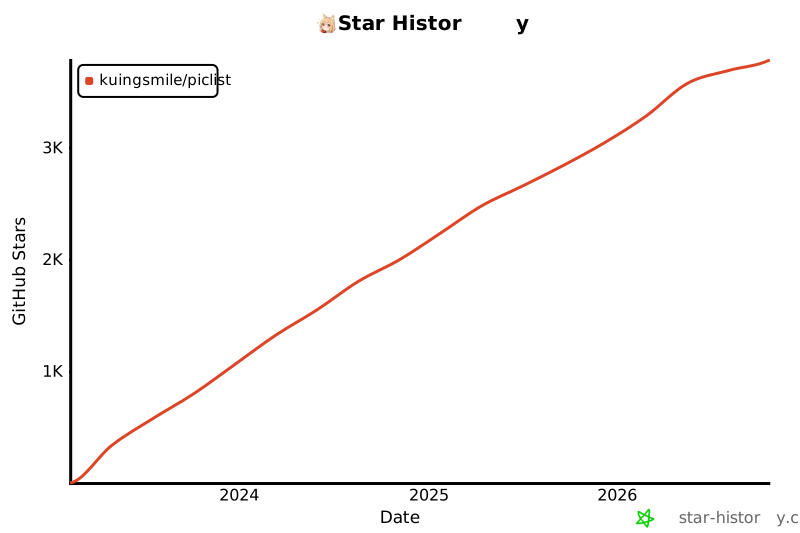
[](https://star-history.com/#Kuingsmile/PicList&Date)