# drei
**Repository Path**: warofcode/drei
## Basic Information
- **Project Name**: drei
- **Description**: No description available
- **Primary Language**: Unknown
- **License**: MIT
- **Default Branch**: master
- **Homepage**: None
- **GVP Project**: No
## Statistics
- **Stars**: 0
- **Forks**: 0
- **Created**: 2024-08-07
- **Last Updated**: 2024-08-07
## Categories & Tags
**Categories**: Uncategorized
**Tags**: None
## README
[](https://codesandbox.io/s/bfplr)
[](https://www.npmjs.com/package/@react-three/drei)
[](https://www.npmjs.com/package/@react-three/drei)
[](https://discord.com/channels/740090768164651008/741751532592038022)
[](https://github.com/codespaces/new?template_repository=pmndrs%2Fdrei)
A growing collection of useful helpers and fully functional, ready-made abstractions for [@react-three/fiber](https://github.com/pmndrs/react-three-fiber). If you make a component that is generic enough to be useful to others, think about [CONTRIBUTING](CONTRIBUTING.md)!
```bash
npm install @react-three/drei
```
> [!IMPORTANT]
> this package is using the stand-alone [`three-stdlib`](https://github.com/pmndrs/three-stdlib) instead of [`three/examples/jsm`](https://github.com/mrdoob/three.js/tree/master/examples/jsm).
### Basic usage:
```jsx
import { PerspectiveCamera, PositionalAudio, ... } from '@react-three/drei'
```
### React-native:
```jsx
import { PerspectiveCamera, PositionalAudio, ... } from '@react-three/drei/native'
```
The `native` route of the library **does not** export `Html` or `Loader`. The default export of the library is `web` which **does** export `Html` and `Loader`.
### Index
# Cameras
#### PerspectiveCamera
[](https://drei.vercel.app/?path=/story/camera-perspectivecamera--perspective-camera-scene-st)
```tsx
type Props = Omit & {
/** Registers the camera as the system default, fiber will start rendering with it */
makeDefault?: boolean
/** Making it manual will stop responsiveness and you have to calculate aspect ratio yourself. */
manual?: boolean
/** The contents will either follow the camera, or be hidden when filming if you pass a function */
children?: React.ReactNode | ((texture: THREE.Texture) => React.ReactNode)
/** Number of frames to render, 0 */
frames?: number
/** Resolution of the FBO, 256 */
resolution?: number
/** Optional environment map for functional use */
envMap?: THREE.Texture
}
```
A responsive [THREE.PerspectiveCamera](https://threejs.org/docs/#api/en/cameras/PerspectiveCamera) that can set itself as the default.
```jsx
```
You can also give it children, which will now occupy the same position as the camera and follow along as it moves.
```jsx
```
You can also drive it manually, it won't be responsive and you have to calculate aspect ratio yourself.
```jsx
c.updateProjectionMatrix()}>
```
You can use the PerspectiveCamera to film contents into a RenderTarget, similar to CubeCamera. As a child you must provide a render-function which receives the texture as its first argument. The result of that function will _not follow the camera_, instead it will be set invisible while the FBO renders so as to avoid issues where the meshes that receive the texture are interrering.
```jsx
{(texture) => (
)}
```
#### OrthographicCamera
[](https://drei.vercel.app/?path=/story/camera-orthographiccamera--orthographic-camera-scene-st)
A responsive [THREE.OrthographicCamera](https://threejs.org/docs/#api/en/cameras/OrthographicCamera) that can set itself as the default.
```jsx
```
You can use the OrthographicCamera to film contents into a RenderTarget, it has the same API as PerspectiveCamera.
```jsx
{(texture) => (
)}
```
#### CubeCamera
[](https://drei.pmnd.rs/?path=/story/camera-cubecamera--default-story)
A [THREE.CubeCamera](https://threejs.org/docs/#api/en/cameras/CubeCamera) that returns its texture as a render-prop. It makes children invisible while rendering to the internal buffer so that they are not included in the reflection.
```tsx
type Props = JSX.IntrinsicElements['group'] & {
/** Number of frames to render, Infinity */
frames?: number
/** Resolution of the FBO, 256 */
resolution?: number
/** Camera near, 0.1 */
near?: number
/** Camera far, 1000 */
far?: number
/** Custom environment map that is temporarily set as the scenes background */
envMap?: THREE.Texture
/** Custom fog that is temporarily set as the scenes fog */
fog?: Fog | FogExp2
/** The contents of CubeCamera will be hidden when filming the cube */
children: (tex: Texture) => React.ReactNode
}
```
Using the `frames` prop you can control if this camera renders indefinitely or statically (a given number of times).
If you have two static objects in the scene, make it `frames={2}` for instance, so that both objects get to "see" one another in the reflections, which takes multiple renders.
If you have moving objects, unset the prop and use a smaller `resolution` instead.
```jsx
{(texture) => (
)}
```
# Controls
If available controls have damping enabled by default, they manage their own updates, remove themselves on unmount, are compatible with the `frameloop="demand"` canvas-flag. They inherit all props from their underlying [THREE controls](https://github.com/mrdoob/three.js/tree/master/examples/jsm/controls). They are the first effects to run before all other useFrames, to ensure that other components may mutate the camera on top of them.
[Some controls](https://github.com/search?q=repo%3Apmndrs%2Fdrei+language%3ATSX+path%3A%2F%5Esrc%5C%2Fcore%5C%2F.*Controls%5C.tsx%2F+makeDefault&type=code) allow you to set `makeDefault`, similar to, for instance, `PerspectiveCamera`. This will set [@react-three/fiber](https://docs.pmnd.rs/react-three-fiber/api/hooks#usethree)'s `controls` field in the root store. This can make it easier in situations where you want controls to be known and other parts of the app could respond to it. Some drei controls already take it into account, like `CameraShake`, `Gizmo` and `TransformControls`.
```tsx
```
```tsx
const controls = useThree((state) => state.controls)
```
Drei currently exports OrbitControls [](https://drei.vercel.app/?path=/story/controls-orbitcontrols--orbit-controls-story), MapControls [](https://drei.vercel.app/?path=/story/controls-mapcontrols--map-controls-st), TrackballControls, ArcballControls, FlyControls, DeviceOrientationControls, PointerLockControls [](https://drei.vercel.app/?path=/story/controls-pointerlockcontrols--pointer-lock-controls-scene-st), FirstPersonControls [](https://drei.vercel.app/?path=/story/controls-firstpersoncontrols--first-person-controls-story) CameraControls [](https://drei.vercel.app/?path=/story/controls-cameracontrols--camera-controls-story) and FaceControls [](https://drei.vercel.app/?path=/story/controls-facecontrols)
All controls react to the default camera. If you have a `` in your scene, they will control it. If you need to inject an imperative camera or one that isn't the default, use the `camera` prop: ``.
PointerLockControls additionally supports a `selector` prop, which enables the binding of `click` event handlers for control activation to other elements than `document` (e.g. a 'Click here to play' button). All elements matching the `selector` prop will activate the controls. It will also center raycast events by default, so regular onPointerOver/etc events on meshes will continue to work.
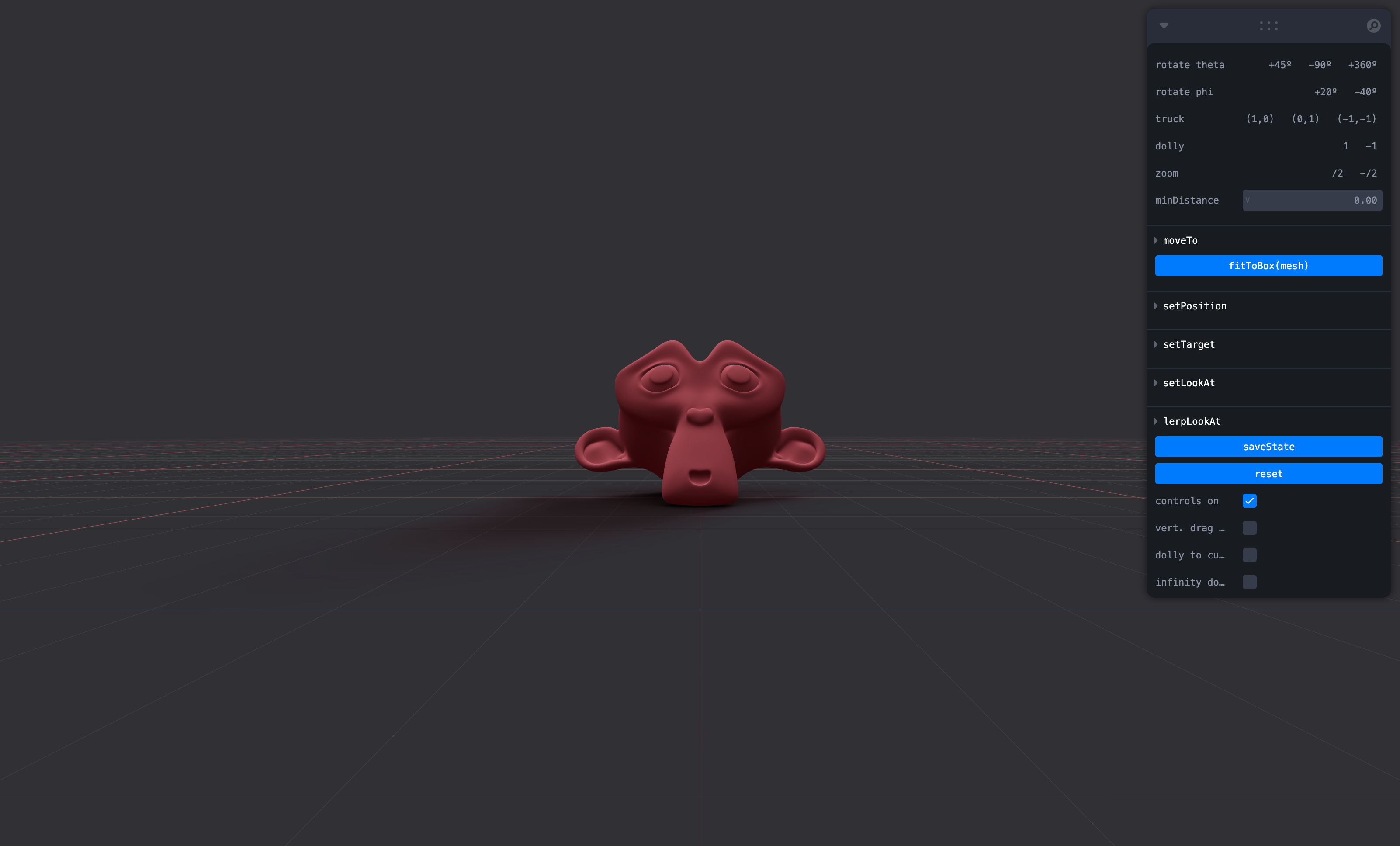
#### CameraControls
This is an implementation of the [camera-controls](https://github.com/yomotsu/camera-controls) library.
```tsx
```
```tsx
type CameraControlsProps = {
/** The camera to control, default to the state's `camera` */
camera?: PerspectiveCamera | OrthographicCamera
/** DOM element to connect to, default to the state's `gl` renderer */
domElement?: HTMLElement
/** Reference this CameraControls instance as state's `controls` */
makeDefault?: boolean
/** Events callbacks, see: https://github.com/yomotsu/camera-controls#events */
onStart?: (e?: { type: 'controlstart' }) => void
onEnd?: (e?: { type: 'controlend' }) => void
onChange?: (e?: { type: 'update' }) => void
}
```
#### ScrollControls

```tsx
type ScrollControlsProps = {
/** Precision, default 0.00001 */
eps?: number
/** Horizontal scroll, default false (vertical) */
horizontal?: boolean
/** Infinite scroll, default false (experimental!) */
infinite?: boolean
/** Defines the length of the scroll area, each page is height:100%, default 1 */
pages?: number
/** A factor that increases scroll bar travel, default 1 */
distance?: number
/** Friction in seconds, default: 0.2 (1/5 second) */
damping?: number
/** maxSpeed optionally allows you to clamp the maximum speed. If damping is 0.2s and looks OK
* going between, say, page 1 and 2, but not for pages far apart as it'll move very rapid,
* then a maxSpeed of e.g. 0.1 which will clamp the speed to 0.1 units per second, it may now
* take much longer than damping to reach the target if it is far away. Default: Infinity */
maxSpeed?: number
/** If true attaches the scroll container before the canvas */
prepend?: boolean
enabled?: boolean
style?: React.CSSProperties
children: React.ReactNode
}
```
Scroll controls create an HTML scroll container in front of the canvas. Everything you drop into the `` component will be affected.
You can listen and react to scroll with the `useScroll` hook which gives you useful data like the current scroll `offset`, `delta` and functions for range finding: `range`, `curve` and `visible`. The latter functions are especially useful if you want to react to the scroll offset, for instance if you wanted to fade things in and out if they are in or out of view.
```jsx
;
{/* Canvas contents in here will *not* scroll, but receive useScroll! */}
{/* Canvas contents in here will scroll along */}
{/* DOM contents in here will scroll along */}
html in here (optional)
second page
third page
function Foo(props) {
const ref = useRef()
const data = useScroll()
useFrame(() => {
// data.offset = current scroll position, between 0 and 1, dampened
// data.delta = current delta, between 0 and 1, dampened
// Will be 0 when the scrollbar is at the starting position,
// then increase to 1 until 1 / 3 of the scroll distance is reached
const a = data.range(0, 1 / 3)
// Will start increasing when 1 / 3 of the scroll distance is reached,
// and reach 1 when it reaches 2 / 3rds.
const b = data.range(1 / 3, 1 / 3)
// Same as above but with a margin of 0.1 on both ends
const c = data.range(1 / 3, 1 / 3, 0.1)
// Will move between 0-1-0 for the selected range
const d = data.curve(1 / 3, 1 / 3)
// Same as above, but with a margin of 0.1 on both ends
const e = data.curve(1 / 3, 1 / 3, 0.1)
// Returns true if the offset is in range and false if it isn't
const f = data.visible(2 / 3, 1 / 3)
// The visible function can also receive a margin
const g = data.visible(2 / 3, 1 / 3, 0.1)
})
return
}
```
#### PresentationControls

Semi-OrbitControls with spring-physics, polar zoom and snap-back, for presentational purposes. These controls do not turn the camera but will spin their contents. They will not suddenly come to rest when they reach limits like OrbitControls do, but rather smoothly anticipate stopping position.
```jsx
```
#### KeyboardControls

A rudimentary keyboard controller which distributes your defined data-model to the `useKeyboard` hook. It's a rather simple way to get started with keyboard input.
```tsx
type KeyboardControlsState = { [K in T]: boolean }
type KeyboardControlsEntry = {
/** Name of the action */
name: T
/** The keys that define it, you can use either event.key, or event.code */
keys: string[]
/** If the event receives the keyup event, true by default */
up?: boolean
}
type KeyboardControlsProps = {
/** A map of named keys */
map: KeyboardControlsEntry[]
/** All children will be able to useKeyboardControls */
children: React.ReactNode
/** Optional onchange event */
onChange: (name: string, pressed: boolean, state: KeyboardControlsState) => void
/** Optional event source */
domElement?: HTMLElement
}
```
You start by wrapping your app, or scene, into ``.
```tsx
enum Controls {
forward = 'forward',
back = 'back',
left = 'left',
right = 'right',
jump = 'jump',
}
function App() {
const map = useMemo[]>(()=>[
{ name: Controls.forward, keys: ['ArrowUp', 'KeyW'] },
{ name: Controls.back, keys: ['ArrowDown', 'KeyS'] },
{ name: Controls.left, keys: ['ArrowLeft', 'KeyA'] },
{ name: Controls.right, keys: ['ArrowRight', 'KeyD'] },
{ name: Controls.jump, keys: ['Space'] },
], [])
return (
```
You can either respond to input reactively, it uses zustand (with the `subscribeWithSelector` middleware) so all the rules apply:
```tsx
function Foo() {
const forwardPressed = useKeyboardControls(state => state.forward)
```
Or transiently, either by `subscribe`, which is a function which returns a function to unsubscribe, so you can pair it with useEffect for cleanup, or `get`, which fetches fresh state non-reactively.
```tsx
function Foo() {
const [sub, get] = useKeyboardControls()
useEffect(() => {
return sub(
(state) => state.forward,
(pressed) => {
console.log('forward', pressed)
}
)
}, [])
useFrame(() => {
// Fetch fresh data from store
const pressed = get().back
})
}
```
#### FaceControls
[](https://drei.vercel.app/?path=/story/controls-facecontrols)
The camera follows your face.
Prerequisite: wrap into a [`FaceLandmarker`](#facelandmarker) provider
```tsx
...
```
```tsx
```
```tsx
type FaceControlsProps = {
/** The camera to be controlled, default: global state camera */
camera?: THREE.Camera
/** Whether to autostart the webcam, default: true */
autostart?: boolean
/** Enable/disable the webcam, default: true */
webcam?: boolean
/** A custom video URL or mediaStream, default: undefined */
webcamVideoTextureSrc?: VideoTextureSrc
/** Disable the rAF camera position/rotation update, default: false */
manualUpdate?: boolean
/** Disable the rVFC face-detection, default: false */
manualDetect?: boolean
/** Callback function to call on "videoFrame" event, default: undefined */
onVideoFrame?: (e: THREE.Event) => void
/** Reference this FaceControls instance as state's `controls` */
makeDefault?: boolean
/** Approximate time to reach the target. A smaller value will reach the target faster. */
smoothTime?: number
/** Apply position offset extracted from `facialTransformationMatrix` */
offset?: boolean
/** Offset sensitivity factor, less is more sensible, default: 80 */
offsetScalar?: number
/** Enable eye-tracking */
eyes?: boolean
/** Force Facemesh's `origin` to be the middle of the 2 eyes, default: true */
eyesAsOrigin?: boolean
/** Constant depth of the Facemesh, default: .15 */
depth?: number
/** Enable debug mode, default: false */
debug?: boolean
/** Facemesh options, default: undefined */
facemesh?: FacemeshProps
}
```
```tsx
type FaceControlsApi = THREE.EventDispatcher & {
/** Detect faces from the video */
detect: (video: HTMLVideoElement, time: number) => void
/** Compute the target for the camera */
computeTarget: () => THREE.Object3D
/** Update camera's position/rotation to the `target` */
update: (delta: number, target?: THREE.Object3D) => void
/** ref api */
facemeshApiRef: RefObject
/** ref api */
webcamApiRef: RefObject
/** Play the video */
play: () => void
/** Pause the video */
pause: () => void
}
```
##### FaceControls events
Two `THREE.Event`s are dispatched on FaceControls ref object:
- `{ type: "stream", stream: MediaStream }` -- when webcam's [`.getUserMedia()`](https://developer.mozilla.org/en-US/docs/Web/API/MediaDevices/getUserMedia) promise is resolved
- `{ type: "videoFrame", texture: THREE.VideoTexture, time: number }` -- each time a new video frame is sent to the compositor (thanks to rVFC)
> **Note** rVFC
>
> Internally, `FaceControls` uses [`requestVideoFrameCallback`](https://caniuse.com/mdn-api_htmlvideoelement_requestvideoframecallback), you may need [a polyfill](https://github.com/ThaUnknown/rvfc-polyfill) (for Firefox).
##### FaceControls[manualDetect]
By default, `detect` is called on each `"videoFrame"`. You can disable this by `manualDetect` and call `detect` yourself.
For example:
```jsx
const controls = useThree((state) => state.controls)
const onVideoFrame = useCallback((event) => {
controls.detect(event.texture.source.data, event.time)
}, [controls])
```
##### FaceControls[manualUpdate]
By default, `update` method is called each rAF `useFrame`. You can disable this by `manualUpdate` and call it yourself:
```jsx
const controls = useThree((state) => state.controls)
useFrame((_, delta) => {
controls.update(delta) // 60 or 120 FPS with default damping
})
```
Or, if you want your own custom damping, use `computeTarget` method and update the camera pos/rot yourself with:
```jsx
const [current] = useState(() => new THREE.Object3D())
useFrame((_, delta) => {
const target = controls?.computeTarget()
if (target) {
//
// A. Define your own damping
//
const eps = 1e-9
easing.damp3(current.position, target.position, 0.25, delta, undefined, undefined, eps)
easing.dampE(current.rotation, target.rotation, 0.25, delta, undefined, undefined, eps)
camera.position.copy(current.position)
camera.rotation.copy(current.rotation)
//
// B. Or maybe with no damping at all?
//
// camera.position.copy(target.position)
// camera.rotation.copy(target.rotation)
}
})
```
#### MotionPathControls
Motion path controls, it takes a path of bezier curves or catmull-rom curves as input and animates the passed `object` along that path. It can be configured to look upon an external object for staging or presentation purposes by adding a `focusObject` property (ref).
```tsx
type MotionPathProps = JSX.IntrinsicElements['group'] & {
/** An optional array of THREE curves */
curves?: THREE.Curve[]
/** Show debug helpers */
debug?: boolean
/** The target object that is moved, default: null (the default camera) */
object?: React.MutableRefObject
/** An object where the target looks towards, can also be a vector, default: null */
focus?: [x: number, y: number, z: number] | React.MutableRefObject
/** Position between 0 (start) and end (1), if this is not set useMotion().current must be used, default: null */
offset?: number
/** Optionally smooth the curve, default: false */
smooth?: boolean | number
/** Damping tolerance, default: 0.00001 */
eps?: number
/** Damping factor for movement along the curve, default: 0.1 */
damping?: number
/** Damping factor for lookAt, default: 0.1 */
focusDamping?: number
/** Damping maximum speed, default: Infinity */
maxSpeed?: number
}
```
You can use MotionPathControls with declarative curves.
```jsx
function App() {
const poi = useRef()
return (
```
Or with imperative curves.
```jsx
```
You can exert full control with the `useMotion` hook, it allows you to define the current position along the path for instance, or define your own lookAt. Keep in mind that MotionPathControls will still these values unless you set damping and focusDamping to 0. Then you can also employ your own easing.
```tsx
type MotionState = {
/** The user-defined, mutable, current goal position along the curve, it may be >1 or <0 */
current: number
/** The combined curve */
path: THREE.CurvePath
/** The focus object */
focus: React.MutableRefObject> | [x: number, y: number, z: number] | undefined
/** The target object that is moved along the curve */
object: React.MutableRefObject>
/** The automated, 0-1 normalised and damped current goal position along curve */
offset: number
/** The current point on the curve */
point: THREE.Vector3
/** The current tangent on the curve */
tangent: THREE.Vector3
/** The next point on the curve */
next: THREE.Vector3
}
const state: MotionState = useMotion()
```
```jsx
function Loop() {
const motion = useMotion()
useFrame((state, delta) => {
// Set the current position along the curve, you can increment indiscriminately for a loop
motion.current += delta
// Look ahead on the curve
motion.object.current.lookAt(motion.next)
})
}
```
# Gizmos
#### GizmoHelper
[](https://drei.pmnd.rs/?path=/story/gizmos-gizmohelper--gizmo-helper-story)
Used by widgets that visualize and control camera position.
Two example gizmos are included: GizmoViewport and GizmoViewcube, and `useGizmoContext` makes it easy to create your own.
Make sure to set the `makeDefault` prop on your controls, in that case you do not have to define the onTarget and onUpdate props.
```jsx
{/* alternative: */}
```
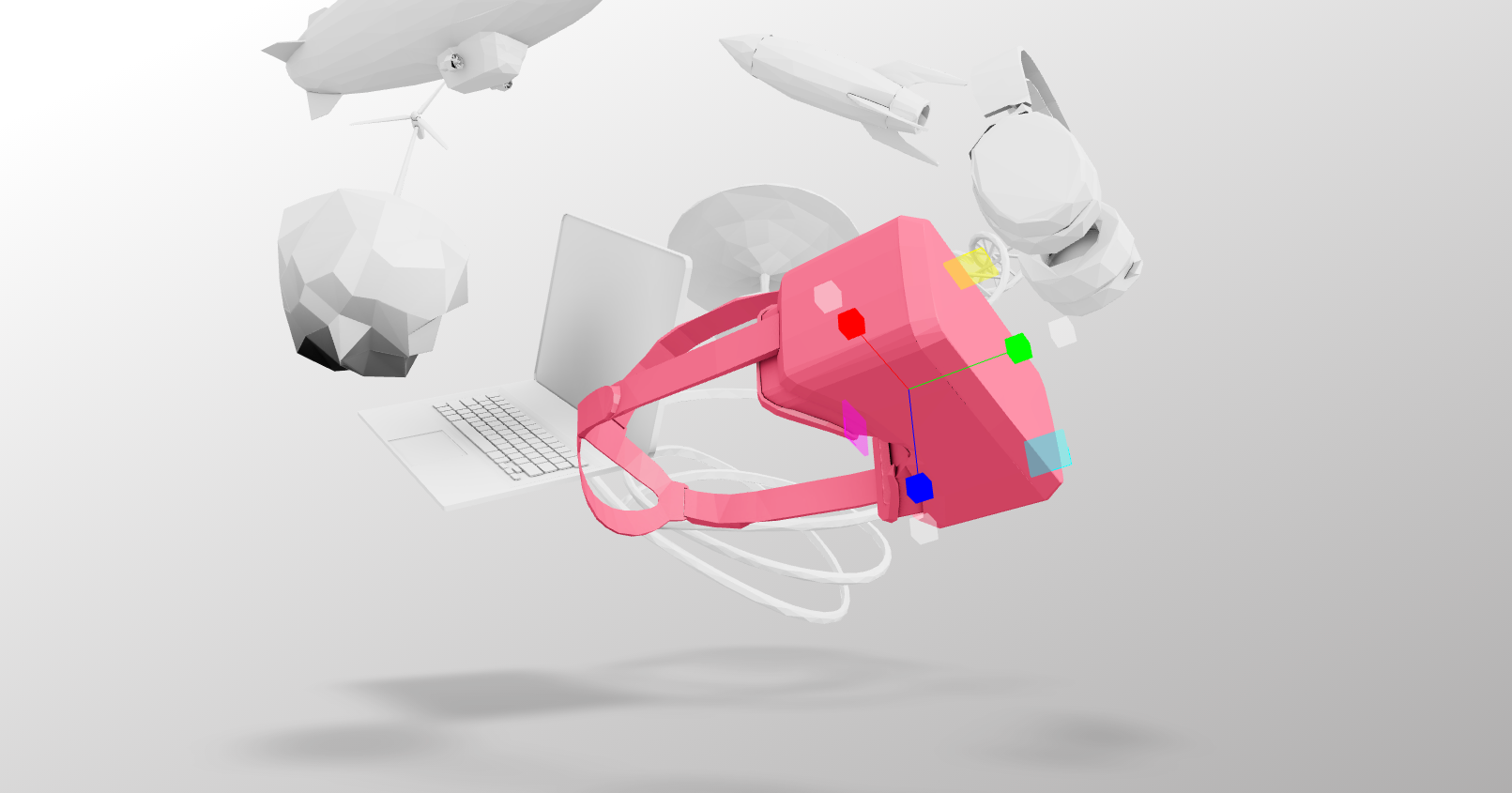
#### PivotControls

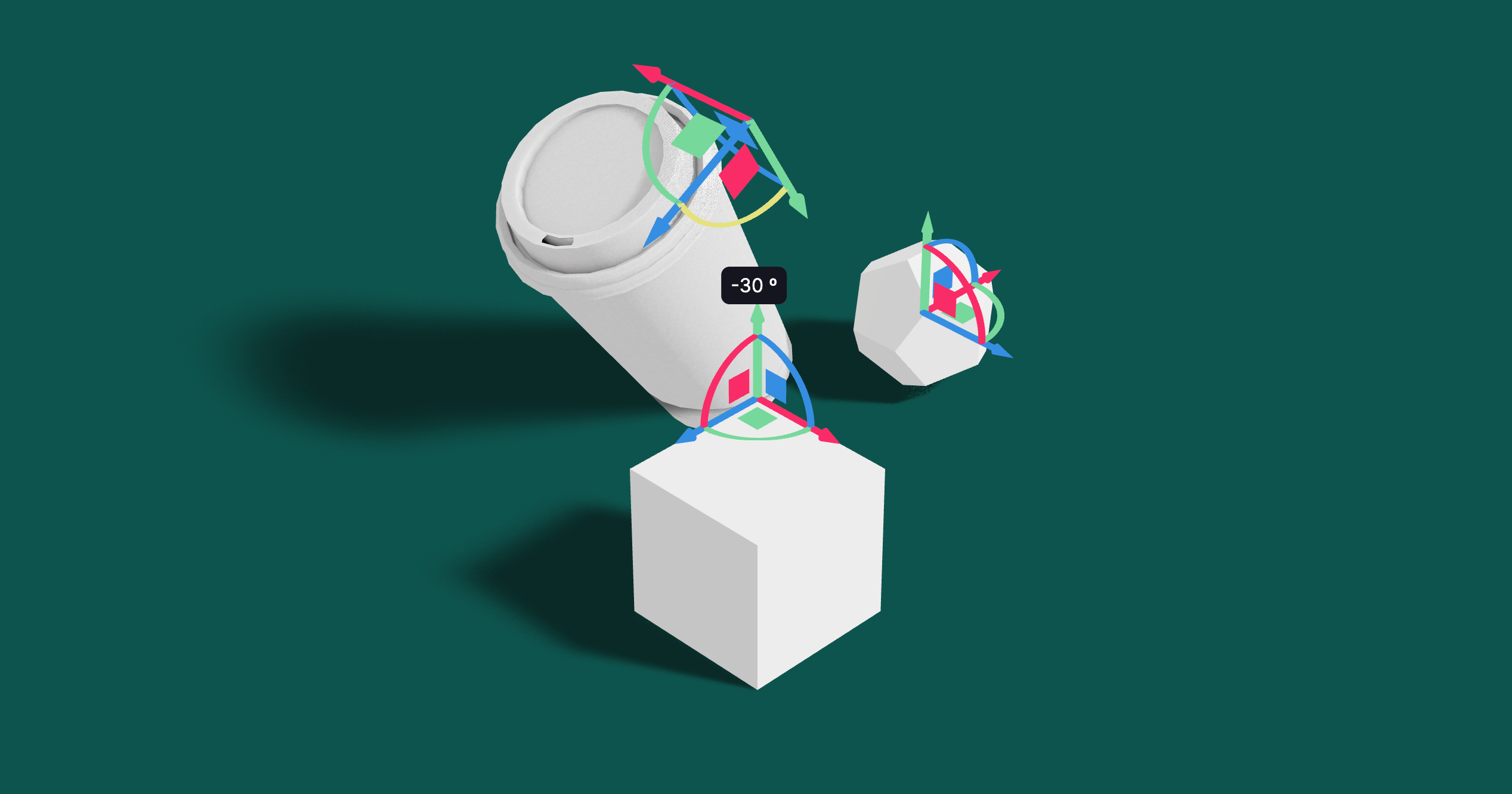
Controls for rotating and translating objects. These controls will stick to the object the transform and by offsetting or anchoring it forms a pivot. This control has HTML annotations for some transforms and supports `[tab]` for rounded values while dragging.
```tsx
type PivotControlsProps = {
/** Enables/disables the control, true */
enabled?: boolean
/** Scale of the gizmo, 1 */
scale?: number
/** Width of the gizmo lines, this is a THREE.Line2 prop, 2.5 */
lineWidth?: number
/** If fixed is true is remains constant in size, scale is now in pixels, false */
fixed?: boolean
/** Pivot does not act as a group, it won't shift contents but can offset in position */
offset?: [number, number, number]
/** Starting rotation */
rotation?: [number, number, number]
/** Starting matrix */
matrix?: THREE.Matrix4
/** Anchor point, like BBAnchor, each axis can be between -1/0/+1 */
anchor?: [number, number, number]
/** If autoTransform is true, automatically apply the local transform on drag, true */
autoTransform?: boolean
/** Allows you to switch individual axes off */
activeAxes?: [boolean, boolean, boolean]
/** Allows you to disable translation via axes arrows */
disableAxes?: boolean
/** Allows you to disable translation via axes planes */
disableSliders?: boolean
/** Allows you to disable rotation */
disableRotations?: boolean
/** Allows you to disable scaling */
disableScaling?: boolean
/** RGB colors */
axisColors?: [string | number, string | number, string | number]
/** Color of the hovered item */
hoveredColor?: string | number
/** HTML value annotations, default: false */
annotations?: boolean
/** CSS Classname applied to the HTML annotations */
annotationsClass?: string
/** Drag start event */
onDragStart?: () => void
/** Drag event */
onDrag?: (l: THREE.Matrix4, deltaL: THREE.Matrix4, w: THREE.Matrix4, deltaW: THREE.Matrix4) => void
/** Drag end event */
onDragEnd?: () => void
/** Set this to false if you want the gizmo to be visible through faces */
depthTest?: boolean
opacity?: number
visible?: boolean
userData?: { [key: string]: any }
children?: React.ReactNode
}
```
```jsx
```
You can use Pivot as a controlled component, switch `autoTransform` off in that case and now you are responsible for applying the matrix transform yourself. You can also leave `autoTransform` on and apply the matrix to foreign objects, in that case Pivot will be able to control objects that are not parented within.
```jsx
const matrix = new THREE.Matrix4()
return (
matrix.copy(matrix_)}
```
#### DragControls
[](https://drei.vercel.app/?path=/story/gizmos-dragcontrols--drag-controls-story) 
You can use DragControls to make objects draggable in your scene. It supports locking the drag to specific axes, setting drag limits, and custom drag start, drag, and drag end events.
```tsx
type DragControlsProps = {
/** If autoTransform is true, automatically apply the local transform on drag, true */
autoTransform?: boolean
/** The matrix to control */
matrix?: THREE.Matrix4
/** Lock the drag to a specific axis */
axisLock?: 'x' | 'y' | 'z'
/** Limits */
dragLimits?: [[number, number] | undefined, [number, number] | undefined, [number, number] | undefined]
/** Hover event */
onHover?: (hovering: boolean) => void
/** Drag start event */
onDragStart?: (origin: THREE.Vector3) => void
/** Drag event */
onDrag?: (
localMatrix: THREE.Matrix4,
deltaLocalMatrix: THREE.Matrix4,
worldMatrix: THREE.Matrix4,
deltaWorldMatrix: THREE.Matrix4
) => void
/** Drag end event */
onDragEnd?: () => void
children: React.ReactNode
}
```
```jsx
```
You can utilize DragControls as a controlled component by toggling `autoTransform` off, which then requires you to manage the matrix transformation manually. Alternatively, keeping `autoTransform` enabled allows you to apply the matrix to external objects, enabling DragControls to manage objects that are not directly parented within it.
```jsx
const matrix = new THREE.Matrix4()
return (
matrix.copy(localMatrix)}
```
#### TransformControls
[](https://drei.vercel.app/?path=/story/gizmos-transformcontrols--transform-controls-story)
An abstraction around [THREE.TransformControls](https://threejs.org/docs/#examples/en/controls/TransformControls).
You can wrap objects which then receive a transform gizmo.
```jsx
```
You could also reference the object which might make it easier to exchange the target. Now the object does not have to be part of the same sub-graph. References can be plain objects or React.MutableRefObjects.
```jsx
```
If you are using other controls (Orbit, Trackball, etc), you will notice how they interfere, dragging one will affect the other. Default-controls will temporarily be disabled automatically when the user is pulling on the transform gizmo.
```jsx
```
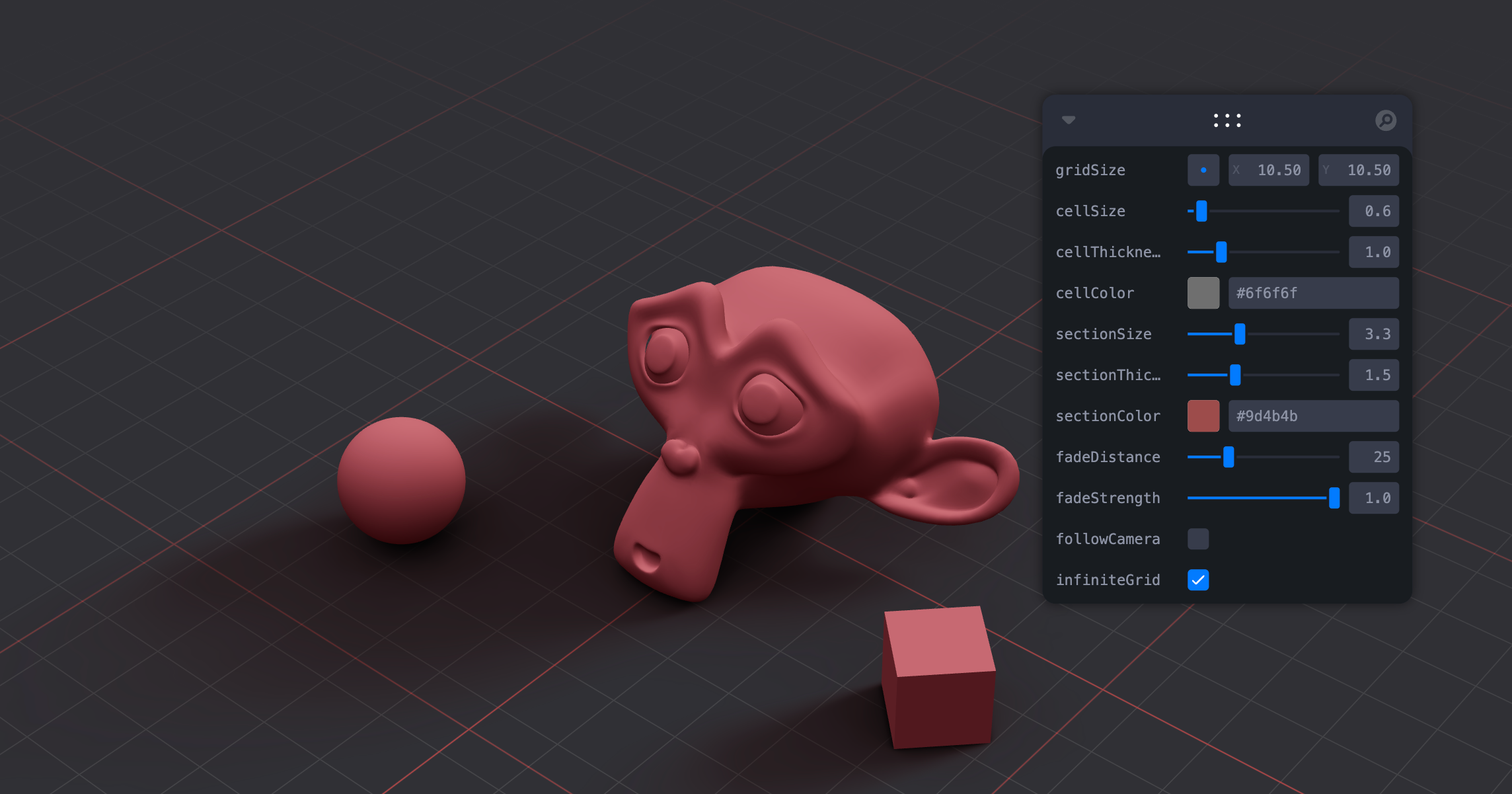
#### Grid
[](https://drei.vercel.app/?path=/story/gizmos-grid--use-grid-scene-st)
A y-up oriented, shader-based grid implementation.
```tsx
export type GridMaterialType = {
/** Cell size, default: 0.5 */
cellSize?: number
/** Cell thickness, default: 0.5 */
cellThickness?: number
/** Cell color, default: black */
cellColor?: THREE.ColorRepresentation
/** Section size, default: 1 */
sectionSize?: number
/** Section thickness, default: 1 */
sectionThickness?: number
/** Section color, default: #2080ff */
sectionColor?: THREE.ColorRepresentation
/** Follow camera, default: false */
followCamera?: boolean
/** Display the grid infinitely, default: false */
infiniteGrid?: boolean
/** Fade distance, default: 100 */
fadeDistance?: number
/** Fade strength, default: 1 */
fadeStrength?: number
/** Fade from camera (1) or origin (0), or somewhere in between, default: camera */
fadeFrom?: number
}
export type GridProps = GridMaterialType & {
/** Default plane-geometry arguments */
args?: ConstructorParameters
}
```
```jsx
```
#### Helper / useHelper
[](https://drei.vercel.app/?path=/story/gizmos-helper)
A hook for a quick way to add helpers to existing nodes in the scene. It handles removal of the helper on unmount and auto-updates it by default.
```jsx
const mesh = useRef()
useHelper(mesh, BoxHelper, 'cyan')
useHelper(condition && mesh, BoxHelper, 'red') // you can pass false instead of the object ref to hide the helper
```
or with `Helper`:
```jsx
```
# Shapes
#### Plane, Box, Sphere, Circle, Cone, Cylinder, Tube, Torus, TorusKnot, Ring, Tetrahedron, Polyhedron, Icosahedron, Octahedron, Dodecahedron, Extrude, Lathe, Shape
Short-cuts for a [mesh](https://threejs.org/docs/#api/en/objects/Mesh) with a [buffer geometry](https://threejs.org/docs/#api/en/core/BufferGeometry).
```jsx
// Plane with buffer geometry args
// Box with color set on the default MeshBasicMaterial
// Sphere with a MeshStandardMaterial
```
#### RoundedBox
A box buffer geometry with rounded corners, done with extrusion.
```jsx
```
#### ScreenQuad
```jsx
```
A triangle that fills the screen, ideal for full-screen fragment shader work (raymarching, postprocessing).
👉 [Why a triangle?](https://www.cginternals.com/en/blog/2018-01-10-screen-aligned-quads-and-triangles.html)
👉 [Use as a post processing mesh](https://medium.com/@luruke/simple-postprocessing-in-three-js-91936ecadfb7)
#### Line
[](https://drei.vercel.app/?path=/story/shapes-line--basic-line-st)
Renders a THREE.Line2 or THREE.LineSegments2 (depending on the value of `segments`).
```jsx
color="black" // Default
lineWidth={1} // In pixels (default)
segments // If true, renders a THREE.LineSegments2. Otherwise, renders a THREE.Line2
dashed={false} // Default
vertexColors={[[0, 0, 0], ...]} // Optional array of RGB values for each point
{...lineProps} // All THREE.Line2 props are valid
{...materialProps} // All THREE.LineMaterial props are valid
/>
```
#### QuadraticBezierLine
[](https://drei.vercel.app/?path=/story/shapes-line--quadratic-bezier-st)
Renders a THREE.Line2 using THREE.QuadraticBezierCurve3 for interpolation.
```jsx
```
You can also update the line runtime.
```jsx
const ref = useRef()
useFrame((state) => {
ref.current.setPoints(
[0, 0, 0],
[10, 0, 0],
// [5, 0, 0] // Optional: mid-point
)
}, [])
return
}
```
#### CubicBezierLine
[](https://drei.vercel.app/?path=/story/shapes-line--cubic-bezier-st)
Renders a THREE.Line2 using THREE.CubicBezierCurve3 for interpolation.
```jsx
```
#### CatmullRomLine
[](https://drei.vercel.app/?path=/story/shapes-line--catmull-rom-st)
Renders a THREE.Line2 using THREE.CatmullRomCurve3 for interpolation.
```jsx
```
#### Facemesh
[](https://drei.vercel.app/?path=/story/shapes-facemesh--facemesh-st)
Renders an oriented [MediaPipe face mesh](https://developers.google.com/mediapipe/solutions/vision/face_landmarker/web_js#handle_and_display_results):
```jsx
const faceLandmarkerResult = {
"faceLandmarks": [
[
{ "x": 0.5760777592658997, "y": 0.8639070391654968, "z": -0.030997956171631813 },
{ "x": 0.572094738483429, "y": 0.7886289358139038, "z": -0.07189624011516571 },
// ...
],
// ...
],
"faceBlendshapes": [
// ...
],
"facialTransformationMatrixes": [
// ...
]
},
}
const points = faceLandmarkerResult.faceLandmarks[0]
```
```tsx
export type FacemeshProps = {
/** an array of 468+ keypoints as returned by google/mediapipe tasks-vision, default: a sample face */
points?: MediaPipePoints
/** @deprecated an face object as returned by tensorflow/tfjs-models face-landmarks-detection */
face?: MediaPipeFaceMesh
/** constant width of the mesh, default: undefined */
width?: number
/** or constant height of the mesh, default: undefined */
height?: number
/** or constant depth of the mesh, default: 1 */
depth?: number
/** a landmarks tri supposed to be vertical, default: [159, 386, 200] (see: https://github.com/tensorflow/tfjs-models/tree/master/face-landmarks-detection#mediapipe-facemesh-keypoints) */
verticalTri?: [number, number, number]
/** a landmark index (to get the position from) or a vec3 to be the origin of the mesh. default: undefined (ie. the bbox center) */
origin?: number | THREE.Vector3
/** A facial transformation matrix, as returned by FaceLandmarkerResult.facialTransformationMatrixes (see: https://developers.google.com/mediapipe/solutions/vision/face_landmarker/web_js#handle_and_display_results) */
facialTransformationMatrix?: (typeof FacemeshDatas.SAMPLE_FACELANDMARKER_RESULT.facialTransformationMatrixes)[0]
/** Apply position offset extracted from `facialTransformationMatrix` */
offset?: boolean
/** Offset sensitivity factor, less is more sensible */
offsetScalar?: number
/** Fface blendshapes, as returned by FaceLandmarkerResult.faceBlendshapes (see: https://developers.google.com/mediapipe/solutions/vision/face_landmarker/web_js#handle_and_display_results) */
faceBlendshapes?: (typeof FacemeshDatas.SAMPLE_FACELANDMARKER_RESULT.faceBlendshapes)[0]
/** whether to enable eyes (nb. `faceBlendshapes` is required for), default: true */
eyes?: boolean
/** Force `origin` to be the middle of the 2 eyes (nb. `eyes` is required for), default: false */
eyesAsOrigin?: boolean
/** debug mode, default: false */
debug?: boolean
}
```
Ref-api:
```tsx
const api = useRef()
```
```tsx
type FacemeshApi = {
meshRef: React.RefObject
outerRef: React.RefObject
eyeRightRef: React.RefObject
eyeLeftRef: React.RefObject
}
```
You can for example get face mesh world direction:
```tsx
api.meshRef.current.localToWorld(new THREE.Vector3(0, 0, -1))
```
or get L/R iris direction:
```tsx
api.eyeRightRef.current.irisDirRef.current.localToWorld(new THREE.Vector3(0, 0, -1))
```
# Abstractions
#### Image
A shader-based image component with auto-cover (similar to css/background: cover).
```tsx
export type ImageProps = Omit & {
segments?: number
scale?: number | [number, number]
color?: Color
zoom?: number
radius?: number
grayscale?: number
toneMapped?: boolean
transparent?: boolean
opacity?: number
side?: THREE.Side
}
```
```jsx
function Foo() {
const ref = useRef()
useFrame(() => {
ref.current.material.radius = ... // between 0 and 1
ref.current.material.zoom = ... // 1 and higher
ref.current.material.grayscale = ... // between 0 and 1
ref.current.material.color.set(...) // mix-in color
})
return
}
```
To make the material transparent:
```jsx
```
You can have custom planes, for instance a rounded-corner plane.
```jsx
import { extend } from '@react-three/fiber'
import { Image } from '@react-three/drei'
import { easing, geometry } from 'maath'
extend({ RoundedPlaneGeometry: geometry.RoundedPlaneGeometry })
```
#### Text
[](https://drei.vercel.app/?path=/story/abstractions-text--text-st) 
Hi-quality text rendering w/ signed distance fields (SDF) and antialiasing, using [troika-3d-text](https://github.com/protectwise/troika/tree/master/packages/troika-3d-text). All of troikas props are valid! Text is suspense-based!
```jsx
hello world!
```
Text will suspend while loading the font data, but in order to completely avoid FOUC you can pass the characters it needs to render.
```jsx
hello world!
```
#### Text3D
[](https://drei.vercel.app/?path=/story/abstractions-text3d--text-3-d-st) 
Render 3D text using ThreeJS's `TextGeometry`.
Text3D will suspend while loading the font data. Text3D requires fonts in JSON format generated through [typeface.json](http://gero3.github.io/facetype.js), either as a path to a JSON file or a JSON object. If you face display issues try checking "Reverse font direction" in the typeface tool.
```jsx
Hello world!
```
You can use any material. `textOptions` are options you'd pass to the `TextGeometry` constructor. Find more information about available options [here](https://threejs.org/docs/index.html?q=textg#examples/en/geometries/TextGeometry).
You can align the text using the `
` component.
```jsx
hello
```
It adds three properties that do not exist in the original `TextGeometry`, `lineHeight`, `letterSpacing` and smooth. LetterSpacing is a factor that is `1` by default. LineHeight is in threejs units and `0` by default. Smooth merges vertices with a tolerance and calls computeVertexNormals.
```jsx
{`hello\nworld`}
```
#### Effects
Abstraction around threes own [EffectComposer](https://threejs.org/docs/#examples/en/postprocessing/EffectComposer). By default it will prepend a render-pass and a gammacorrection-pass. Children are cloned, `attach` is given to them automatically. You can only use passes or effects in there.
By default it creates a render target with HalfFloatType, RGBAFormat. You can change all of this to your liking, inspect the types.
```jsx
import { SSAOPass } from "three-stdlib"
extend({ SSAOPass })
```
#### PositionalAudio
[](https://drei.vercel.app/?path=/story/abstractions-positionalaudio--positional-audio-scene-st) 
A wrapper around [THREE.PositionalAudio](https://threejs.org/docs/#api/en/audio/PositionalAudio). Add this to groups or meshes to tie them to a sound that plays when the camera comes near.
```jsx
```
#### Billboard
[](https://drei.pmnd.rs/?path=/story/abstractions-billboard--billboard-st)
Adds a `` that always faces the camera.
```jsx
I'm a billboard
```
#### ScreenSpace
[](https://drei.pmnd.rs/?path=/story/abstractions-screenspace--screen-space-story)
Adds a `` that aligns objects to screen space.
```jsx
I'm in screen space
```
#### ScreenSizer
[](https://drei.pmnd.rs/?path=/story/abstractions-screensizer--screen-sizer-story)
Adds a `` that scales objects to screen space.
```jsx
```
#### GradientTexture
A declarative THREE.Texture which attaches to "map" by default. You can use this to create gradient backgrounds.
```jsx
```
Radial gradient.
```jsx
import { GradientTexture, GradientType } from './GradientTexture'
;
```
#### Edges
Abstracts [THREE.EdgesGeometry](https://threejs.org/docs/#api/en/geometries/EdgesGeometry). It pulls the geometry automatically from its parent, optionally you can ungroup it and give it a `geometry` prop. You can give it children, for instance a custom material. Edges is based on `` and supports all of its props.
```jsx
```
#### Outlines
An ornamental component that extracts the geometry from its parent and displays an [inverted-hull outline](https://bnpr.gitbook.io/bnpr/outline/inverse-hull-method). Supported parents are ``, `` and ``.
```tsx
type OutlinesProps = JSX.IntrinsicElements['group'] & {
/** Outline color, default: black */
color: ReactThreeFiber.Color
/** Line thickness is independent of zoom, default: false */
screenspace: boolean
/** Outline opacity, default: 1 */
opacity: number
/** Outline transparency, default: false */
transparent: boolean
/** Outline thickness, default 0.05 */
thickness: number
/** Geometry crease angle (0 === no crease), default: Math.PI */
angle: number
}
```
```jsx
```
#### Trail
[](https://drei.vercel.app/?path=/story/misc-trail--use-trail-st)
A declarative, `three.MeshLine` based Trails implementation. You can attach it to any mesh and it will give it a beautiful trail.
Props defined below with their default values.
```jsx
width} // A function to define the width in each point along it.
>
{/* If `target` is not defined, Trail will use the first `Object3D` child as the target. */}
{/* You can optionally define a custom meshLineMaterial to use. */}
{/* */}
```
👉 Inspired by [TheSpite's Codevember 2021 #9](https://spite.github.io/codevember-2021/9/)
#### Sampler
[](https://drei.vercel.app/?path=/story/misc-sampler--sampler-st)
Declarative abstraction around MeshSurfaceSampler & InstancedMesh.
It samples points from the passed mesh and transforms an InstancedMesh's matrix to distribute instances on the points.
Check the demos & code for more.
You can either pass a Mesh and InstancedMesh as children:
```tsx
// This simple example scatters 1000 spheres on the surface of the sphere mesh.
```
or use refs when you can't compose declaratively:
```tsx
const { nodes } = useGLTF('my/mesh/url')
const mesh = useRef(nodes)
const instances = useRef()
return <>
```
#### ComputedAttribute
[](https://drei.vercel.app/?path=/story/misc-sampler--sampler-weight-st)
Create and attach an attribute declaratively.
```tsx
{
// ...someLogic;
return new THREE.BufferAttribute([1, 2, 3], 1)
}}
// you can pass any BufferAttribute prop to this component, eg.
usage={THREE.StaticReadUsage}
/>
```
#### Clone
Declarative abstraction around THREE.Object3D.clone. This is useful when you want to create a shallow copy of an existing fragment (and Object3D, Groups, etc) into your scene, for instance a group from a loaded GLTF. This clone is now re-usable, but it will still refer to the original geometries and materials.
```ts
React.ReactNode)
/** Short access castShadow, applied to every mesh within */
castShadow?: boolean
/** Short access receiveShadow, applied to every mesh within */
receiveShadow?: boolean
/>
```
You create a shallow clone by passing a pre-existing object to the `object` prop.
```jsx
const { nodes } = useGLTF(url)
return (
```
Or, multiple objects:
```jsx
```
You can dynamically insert objects, these will apply to anything that isn't a group or a plain object3d (meshes, lines, etc):
```jsx
} />
```
Or make inserts conditional:
```jsx
(object.name === 'table' ? : null)}
} />
```
#### useAnimations
[](https://drei.pmnd.rs/?path=/story/abstractions-useanimations--use-animations-st)
A hook that abstracts [AnimationMixer](https://threejs.org/docs/#api/en/animation/AnimationMixer).
```jsx
const { nodes, materials, animations } = useGLTF(url)
const { ref, mixer, names, actions, clips } = useAnimations(animations)
useEffect(() => {
actions?.jump.play()
})
return (
```
The hook can also take a pre-existing root (which can be a plain object3d or a reference to one):
```jsx
const { scene, animations } = useGLTF(url)
const { actions } = useAnimations(animations, scene)
return
```
#### MarchingCubes
[](https://drei.pmnd.rs/?path=/story/abstractions-marchingcubes--marching-cubes-story)
An abstraction for threes [MarchingCubes](https://threejs.org/examples/#webgl_marchingcubes)
```jsx
```
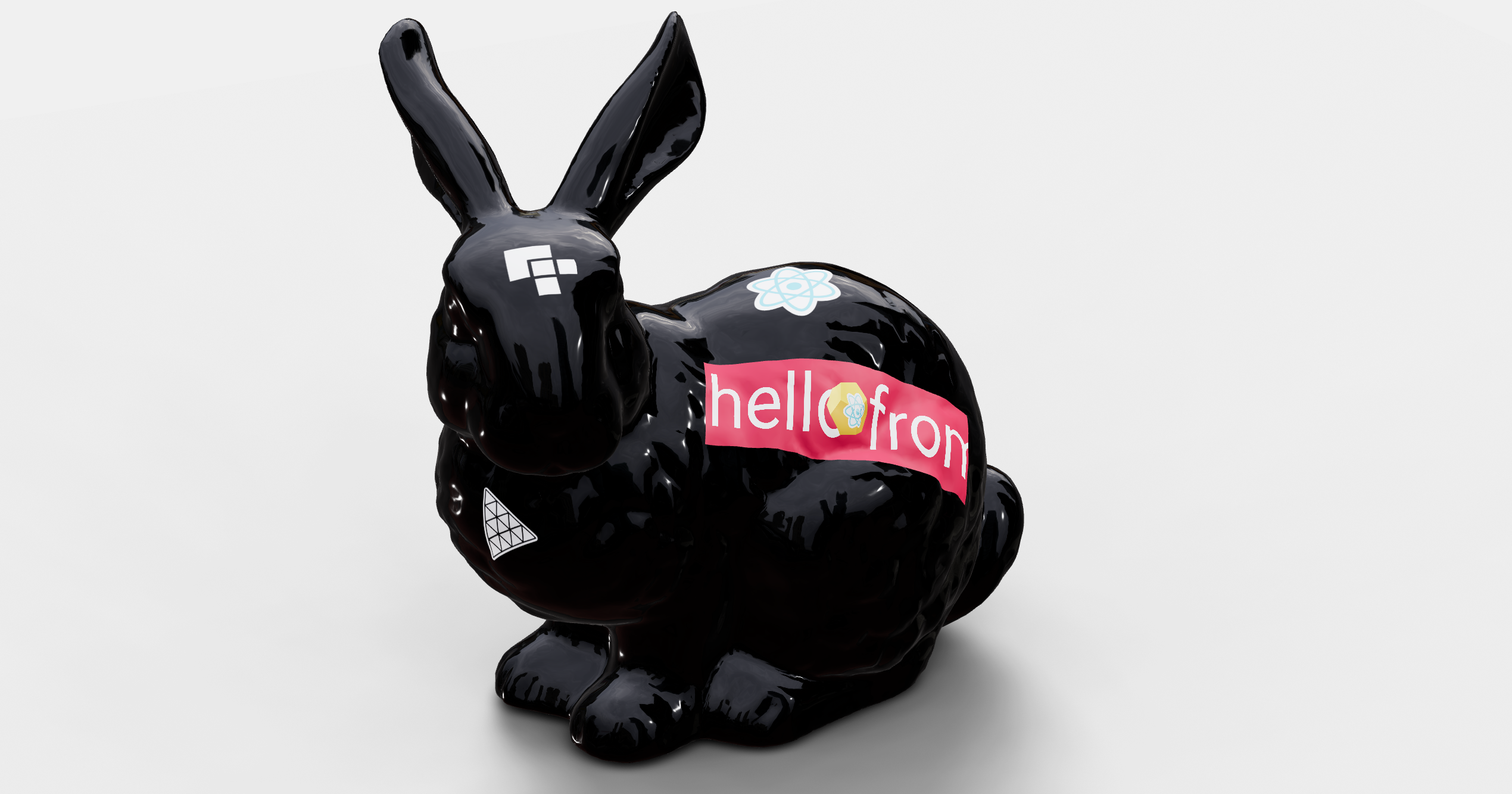
#### Decal
[](https://drei.pmnd.rs/?path=/story/misc-decal--decal-st)
Abstraction around Three's `DecalGeometry`. It will use the its parent `mesh` as the decal surface by default.
The decal box has to intersect the surface, otherwise it will not be visible. if you do not specifiy a rotation it will look at the parents center point. You can also pass a single number as the rotation which allows you to spin it.
```js
```
If you do not specify a material it will create a transparent meshBasicMaterial with a polygonOffsetFactor of -10.
```jsx
```
If declarative composition is not possible, use the `mesh` prop to define the surface the decal must attach to.
```js
```
#### Svg
[](https://drei.pmnd.rs/?path=/story/abstractions-svg--svg-st)
Wrapper around the `three` [svg loader](https://threejs.org/examples/?q=sv#webgl_loader_svg) demo.
Accepts an SVG url or svg raw data.
```js
```
#### AsciiRenderer
Abstraction of three's [AsciiEffect](https://threejs.org/examples/?q=as#webgl_effects_ascii). It creates a DOM layer on top of the canvas and renders the scene as ascii characters.
```tsx
type AsciiRendererProps = {
/** Render index, default: 1 */
renderIndex?: number
/** CSS background color (can be "transparent"), default: black */
bgColor?: string
/** CSS character color, default: white */
fgColor?: string
/** Characters, default: ' .:-+*=%@#' */
characters?: string
/** Invert character, default: true */
invert?: boolean
/** Colorize output (very expensive!), default: false */
color?: boolean
/** Level of detail, default: 0.15 */
resolution?: number
}
```
```jsx