# M3U8-Downloader
**Repository Path**: klmahuaw/M3U8-Downloader
## Basic Information
- **Project Name**: M3U8-Downloader
- **Description**: M3U8-Downloader 支持多线程、断点续传、加密视频下载缓存。
官网软件下载地址:https://tools.heisir.cn/HLSDownload/
- **Primary Language**: JavaScript
- **License**: Not specified
- **Default Branch**: master
- **Homepage**: https://tools.heisir.cn/HLSDownload/
- **GVP Project**: No
## Statistics
- **Stars**: 7
- **Forks**: 4
- **Created**: 2021-04-21
- **Last Updated**: 2025-12-17
## Categories & Tags
**Categories**: Uncategorized
**Tags**: None
## README

[](https://github.com/HeiSir2014/M3U8-Downloader/releases/latest)
[](https://github.com/HeiSir2014/M3U8-Downloader/releases/latest)
# M3U8-Downloader [直接下载](#下载可执行包)
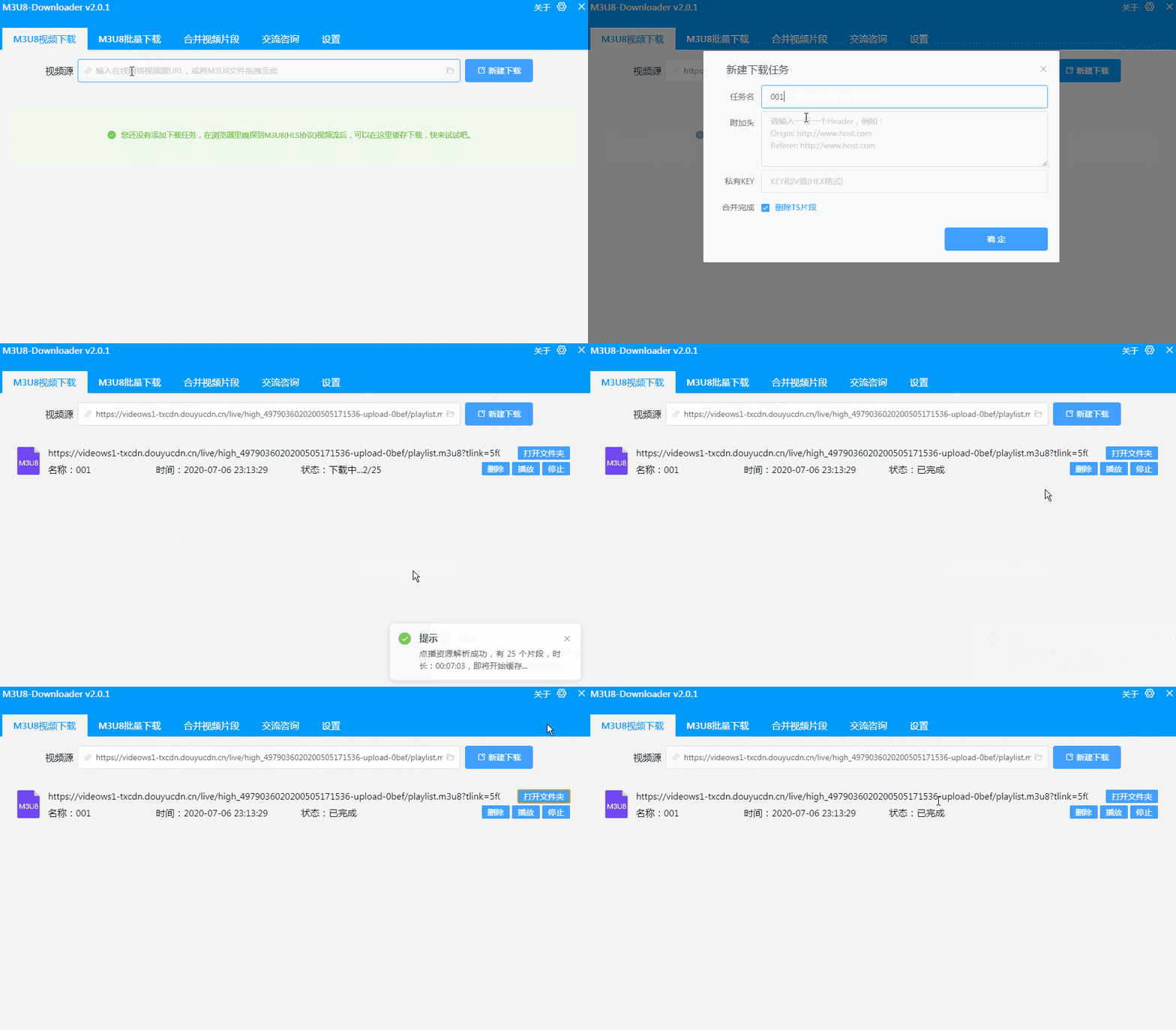
M3U8-Downloader是基于Electron框架开发的一款可以下载、播放HLS视频流的APP,功能特点如下:
| 功能 | 支持 |
| :-- | --: |
| HLS协议点播源 | ✓ |
| 自定义Http协议头下载 | ✓ |
| 自定义KEY和IV解密 | ✓ |
| 本地M3U8文件下载 | ✓ |
| HLS协议直播源 | ✓ |
| 标准 AES-128-CBC加密 | ✓ |
| 标准 AES-196-CBC加密 | ✓ |
| 标准 AES-256-CBC加密 | ✓ |
| 非标准 AES-*-CBC加密 | ㄨ(可定制) |
# 流程原理图
---
---
# 官网
[M3U8-Downloader 官网](https://tools.heisir.cn/HLSDownload)
QQ交流群:341972319
[点我加QQ交流群](https://jq.qq.com/?_wv=1027&k=nhFrZBS0)
# 获取M3U8视频地址
在chrome浏览器打开视频网页,按下F12,页签点击到Network页面,在Filter框里输入"m3u8",然后按F5刷新页面,如果网页里的视频使用的是HLS源,就可以在这里捕获到视频流地址,然后选中右键 Copy -> Copy Link Address.
提供m3u8源地址,下载并无损转码Mp4文件
[自定义头添加-视频教程](https://player.bilibili.com/player.html?aid=498666070&bvid=BV1QK411n7VJ&cid=206827525&page=1)
# 下载可执行包
## [推荐] 蓝奏下载
## [Windows 、Linux、MacOS 下载](https://tools.heisir.cn/HLSDownload/download.html)
## Github 下载
## [Releases下载](https://github.com/HeiSir2014/M3U8-Downloader/releases)
# 运行源码
### NodeJS开发环境搭建
安装NodeJs最新版,[NodeJs Download](http://nodejs.cn/download/)
### Clone 代码
在任意文件夹下新建一个文件夹存放代码,并执行以下命令
```
cd newdir
git clone https://github.com/HeiSir2014/M3U8-Downloader.git .
```
### Yarn 环境安装
```
npm install yarn -g
```
### Package 依赖安装
```
yarn
```
### 运行M3U8-Downloader
```
yarn start
```
### 打包发布
```
//windows 平台打包
yarn pack-win
//mac 平台打包
yarn pack-mac
```
### Enjoy it