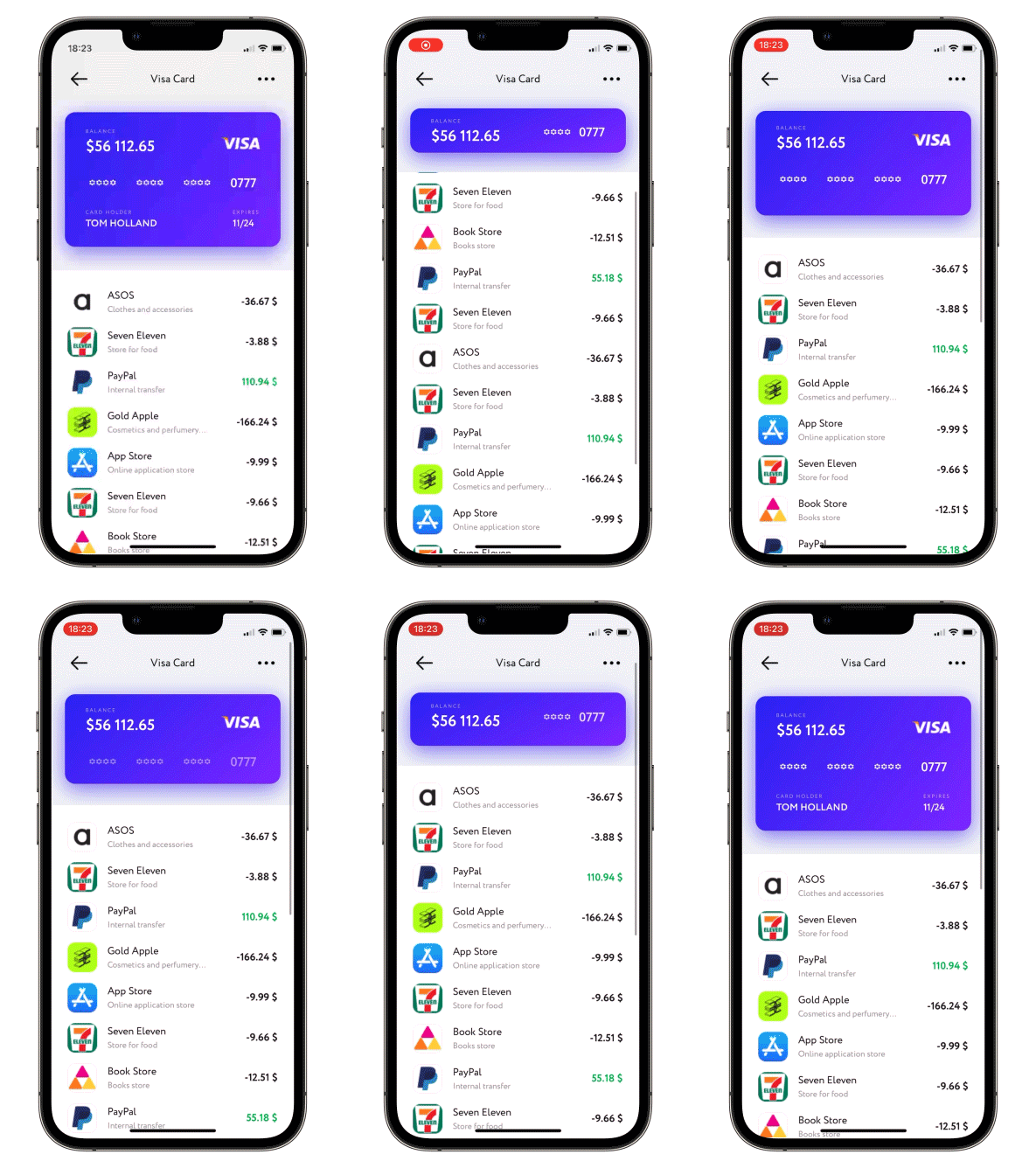
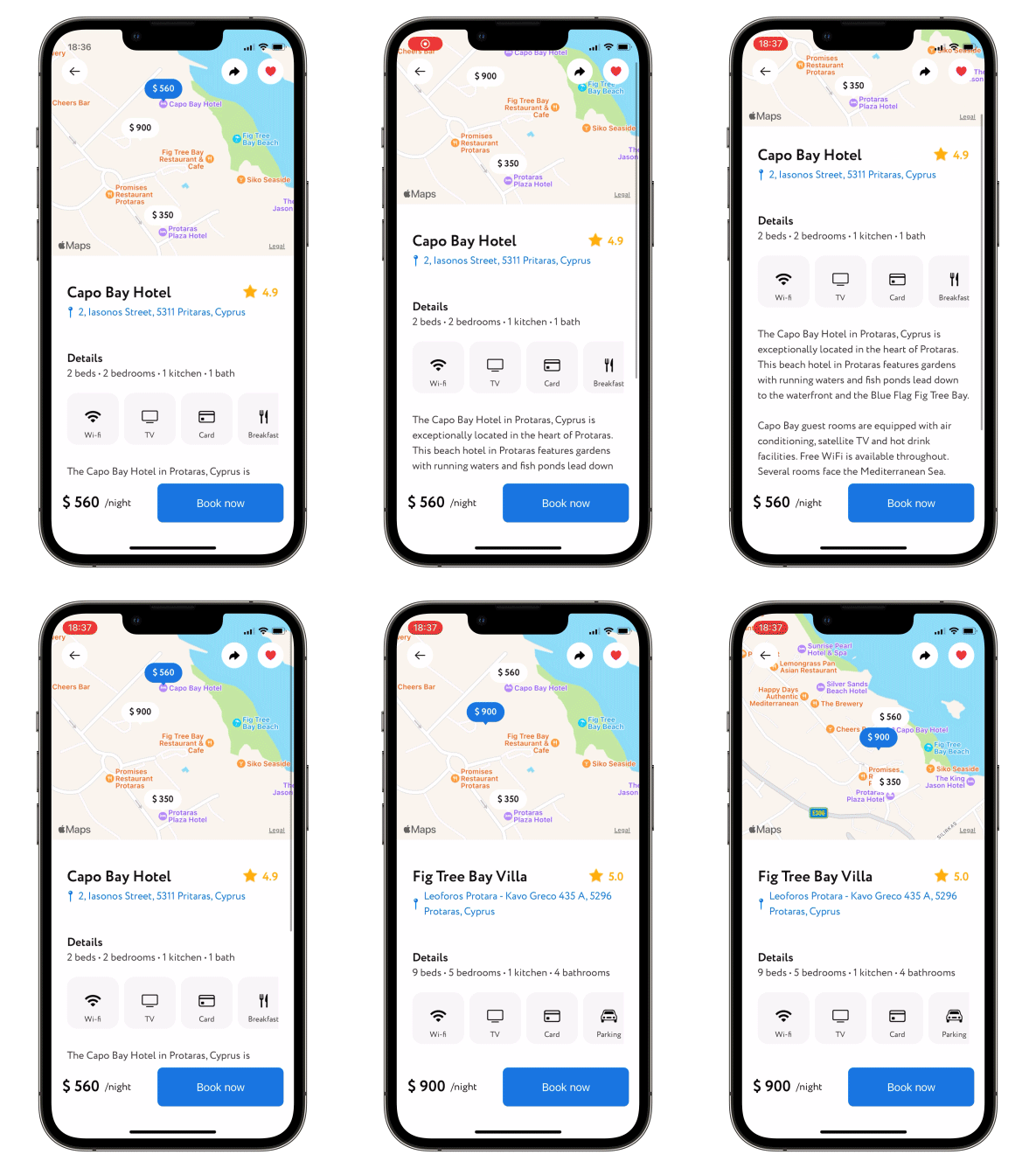
A scroll view with a sticky header which shrinks as you scroll. Written with SwiftUI.
Read Article »
[](https://swiftpackageindex.com/exyte/ScalingHeaderScrollView)
[](https://swiftpackageindex.com/exyte/ScalingHeaderScrollView)
[](https://swiftpackageindex.com/exyte/ScalingHeaderScrollView)
[](https://cocoapods.org/pods/ScalingHeaderScrollView)
[](https://github.com/Carthage/Carthage)
[](https://opensource.org/licenses/MIT)
# Usage
1. Put your header and content bodies code into a ScalingHeaderScrollView constructor.
2. Set the necessary modifiers, see below.
```swift
struct ContentView: View {
var body: some View {
ScalingHeaderScrollView {
ZStack {
Rectangle()
.fill(.gray.opacity(0.15))
Image("header")
}
} content: {
Text("↓ Pull to refresh ↓")
.multilineTextAlignment(.center)
.padding()
}
}
}
```
### Required parameters
`header` - `@ViewBuilder` for your header
`content` - `@ViewBuilder` for your content
### Available modifiers, optional
passes current collapse progress value into progress binding: 0 for not collapsed at all, 1 - for fully collapsed
```swift
.collapseProgress(_ progress: Binding)
```
allows to set up callback for ScrollView reaching the bottom
```swift
.scrollViewDidReachBottom(perform: @escaping () -> Void)
```
allows to set up callback and `isLoading` state for pull-to-refresh action
```swift
.pullToRefresh(isLoading: Binding, perform: @escaping () -> Void)
```
allows to set up callback and `isLoading` state for pull-to-load-more action
```swift
.pullToLoadMore(isLoading: Binding, perform: @escaping () -> Void)
```
allows content scroll reset, need to change Binding to `true`
```swift
.scrollToTop(resetScroll: Binding)
```
allows to change current header height, need to change state, possible values are .collapsed, .expanded or .custom(CFGloat)
```swift
.snapHeaderToState(state: Binding, animated: Bool)
```
changes min and max heights of Header, default `min = 150.0` and `max = 350.0`
```swift
.height(min: CGFloat = 150.0, max: CGFloat = 350.0)
```
when scrolling up - switch between actual header collapse and simply moving it up (by default moving up)
```swift
.allowsHeaderCollapse()
```
when scrolling down - enable (disabled by default) header scale
```swift
.allowsHeaderGrowth()
```
Enable/disable (disabled by default) header snap. Available modes:
- `.disabled` - Disable header snap.
- `.immediately` - Once you lift your finger header snaps either to min or max height automatically.
- `.afterFinishAccelerating` - At the end of scroll view deceleration the header snaps either to min or max height automatically.
```swift
.setHeaderSnapMode(.immediately)
```
Set custom positions for header snap (explained previous point). Specify any amount of values in 0...1 to set snapping points, 0 - fully collapsed header, 1 - fully expanded
```swift
.headerSnappingPositions(snapPositions: [CGFloat])
```
Set custom initial position to which scroll view will be automatically snapped to. Specify a value in 0...1, 0 - fully collapsed header, 1 - fully expanded
```swift
.initialSnapPosition(initialSnapPosition: CGFloat)
```
hide scroll indicators (false by default)
```swift
.hideScrollIndicators()
```
## Examples
To try ScalingHeaderScrollView examples:
- Clone the repo `https://github.com/exyte/ScalingHeaderScrollView.git`
- Open terminal and run `cd /Example/`
- Run `pod install` to install all dependencies
- Run open `Example.xcworkspace/` to open project in the Xcode
- Try it!
## Installation
### [Swift Package Manager](https://swift.org/package-manager/)
```swift
dependencies: [
.package(url: "https://github.com/exyte/ScalingHeaderScrollView.git")
]
```
### [CocoaPods](http://cocoapods.org)
To install `ScalingHeaderScrollView`, simply add the following line to your Podfile:
```ruby
pod 'ScalingHeaderScrollView'
```
### [Carthage](http://github.com/Carthage/Carthage)
To integrate `ScalingHeaderScrollView` into your Xcode project using Carthage, specify it in your `Cartfile`
```ogdl
github "Exyte/ScalingHeaderScrollView"
```
## Requirements
* iOS 14+
* Xcode 12+
## Our other open source SwiftUI libraries
[PopupView](https://github.com/exyte/PopupView) - Toasts and popups library
[Grid](https://github.com/exyte/Grid) - The most powerful Grid container
[AnimatedTabBar](https://github.com/exyte/AnimatedTabBar) - A tabbar with number of preset animations
[MediaPicker](https://github.com/exyte/mediapicker) - Customizable media picker
[Chat](https://github.com/exyte/chat) - Chat UI framework with fully customizable message cells, input view, and a built-in media picker
[ConcentricOnboarding](https://github.com/exyte/ConcentricOnboarding) - Animated onboarding flow
[FloatingButton](https://github.com/exyte/FloatingButton) - Floating button menu
[ActivityIndicatorView](https://github.com/exyte/ActivityIndicatorView) - A number of animated loading indicators
[ProgressIndicatorView](https://github.com/exyte/ProgressIndicatorView) - A number of animated progress indicators
[SVGView](https://github.com/exyte/SVGView) - SVG parser
[LiquidSwipe](https://github.com/exyte/LiquidSwipe) - Liquid navigation animation