# emba
**Repository Path**: aaaleo/emba
## Basic Information
- **Project Name**: emba
- **Description**: No description available
- **Primary Language**: Unknown
- **License**: GPL-3.0
- **Default Branch**: master
- **Homepage**: None
- **GVP Project**: No
## Statistics
- **Stars**: 0
- **Forks**: 0
- **Created**: 2025-02-25
- **Last Updated**: 2025-02-25
## Categories & Tags
**Categories**: Uncategorized
**Tags**: None
## README








# EMBA
## The security analyzer for firmware of embedded devices
*EMBA* is designed as the central firmware analysis and SBOM tool for penetration testers, product security teams, developers and responsible product managers. It supports the complete security analysis process starting with *firmware extraction*, doing *static analysis* and *dynamic analysis* via emulation, building the SBOM and finally generating a web based vulnerability report. *EMBA* automatically discovers possible weak spots and vulnerabilities in firmware. Examples are insecure binaries, old and outdated software components, potentially vulnerable scripts, or hard-coded passwords. *EMBA* is a command line tool with the possibility to generate an easy-to-use web report for further analysis.
*EMBA* assists the penetration testers, product security teams and developers in the identification of weak spots and vulnerabilities in the firmware image. *EMBA* provides as much information as possible about the firmware, that the tester can decide on focus areas and is responsible for verifying and interpreting the results.
[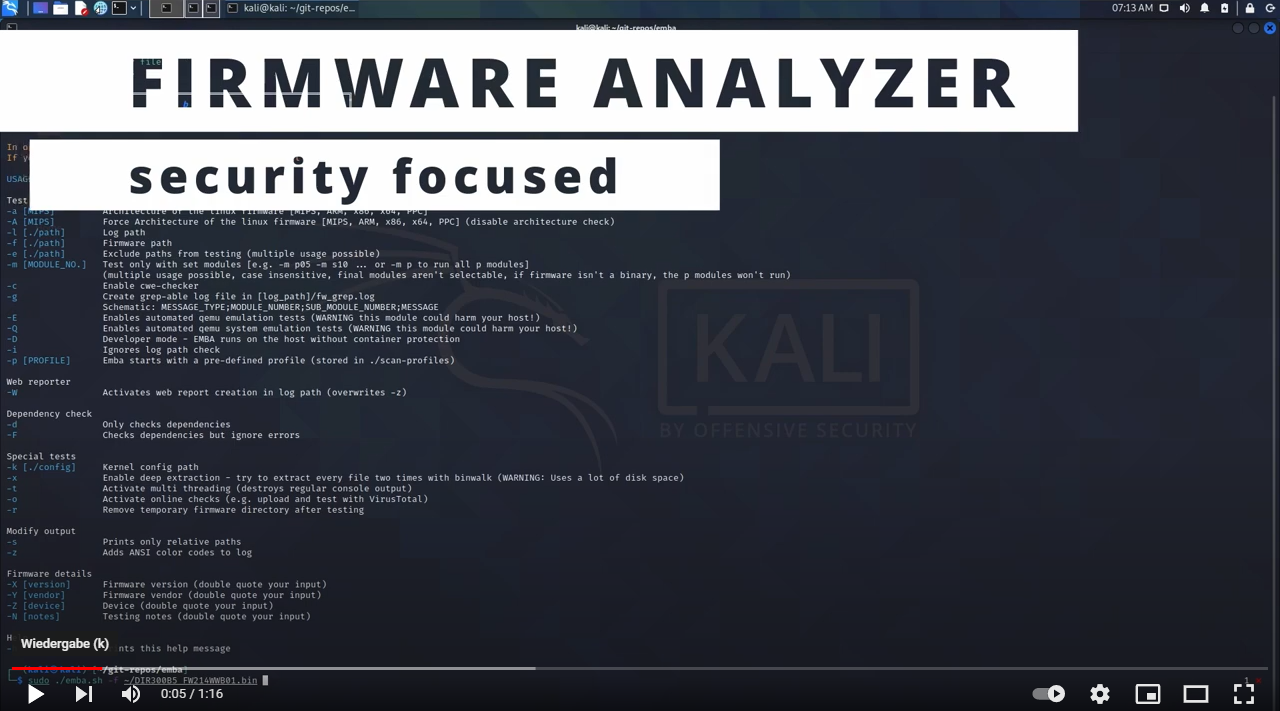](https://youtu.be/_dvdy3klFFY "Watch EMBA")
----------------------
#### Links to the wiki for more detailed information
- [Home](https://github.com/e-m-b-a/emba/wiki)
- [Feature overview](https://github.com/e-m-b-a/emba/wiki/Feature-overview)
- [Installation](https://github.com/e-m-b-a/emba/wiki/Installation)
- [Usage](https://github.com/e-m-b-a/emba/wiki/Usage)
- [FAQ](https://github.com/e-m-b-a/emba/wiki/FAQ)
## Installation
Before running *EMBA* make sure, that you have [installed](https://github.com/e-m-b-a/emba/wiki/Installation) all dependencies with the installation script and met the [prerequisites](https://github.com/e-m-b-a/emba/wiki/Installation#prerequisites)
```console
git clone https://github.com/e-m-b-a/emba.git
cd emba
sudo ./installer.sh -d
```
## Quick start with default scan profile:
```console
sudo ./emba -l ~/log -f ~/firmware -p ./scan-profiles/default-scan.emba
```
## Quick start with default SBOM profile:
For further details on EMBA's SBOM capabilities check the [wiki](https://github.com/e-m-b-a/emba/wiki/SBOM-environment)
```console
sudo ./emba -l ~/log -f ~/firmware -p ./scan-profiles/default-sbom.emba
```
## Quick start with system-emulation scan profile:
For further details on EMBA's system-emulation engine check the [wiki](https://github.com/e-m-b-a/emba/wiki/System-emulation).
```console
sudo ./emba -l ~/log -f ~/firmware -p ./scan-profiles/default-scan-emulation.emba
```
---
*EMBA* supports multiple testing and reporting [options](https://github.com/e-m-b-a/emba/wiki/Usage#arguments). For more details check the [wiki](https://github.com/e-m-b-a/emba/wiki/Usage).
## Get involved
The IoT is growing, the development is ongoing, and there are many new features that we want to add.
We welcome [pull requests](https://github.com/e-m-b-a/emba/pulls) and [issues](https://github.com/e-m-b-a/emba/issues) on GitHub. Also check the [CONTRIBUTING](./CONTRIBUTING.md) and [CONTRIBUTORS](./CONTRIBUTORS.md) documentation for further details on how to get part of the _EMBA_ commmunity.
## Team
[The core EMBA Team](https://github.com/orgs/e-m-b-a/people)
[Contributors](https://github.com/e-m-b-a/emba/blob/master/CONTRIBUTORS.md)