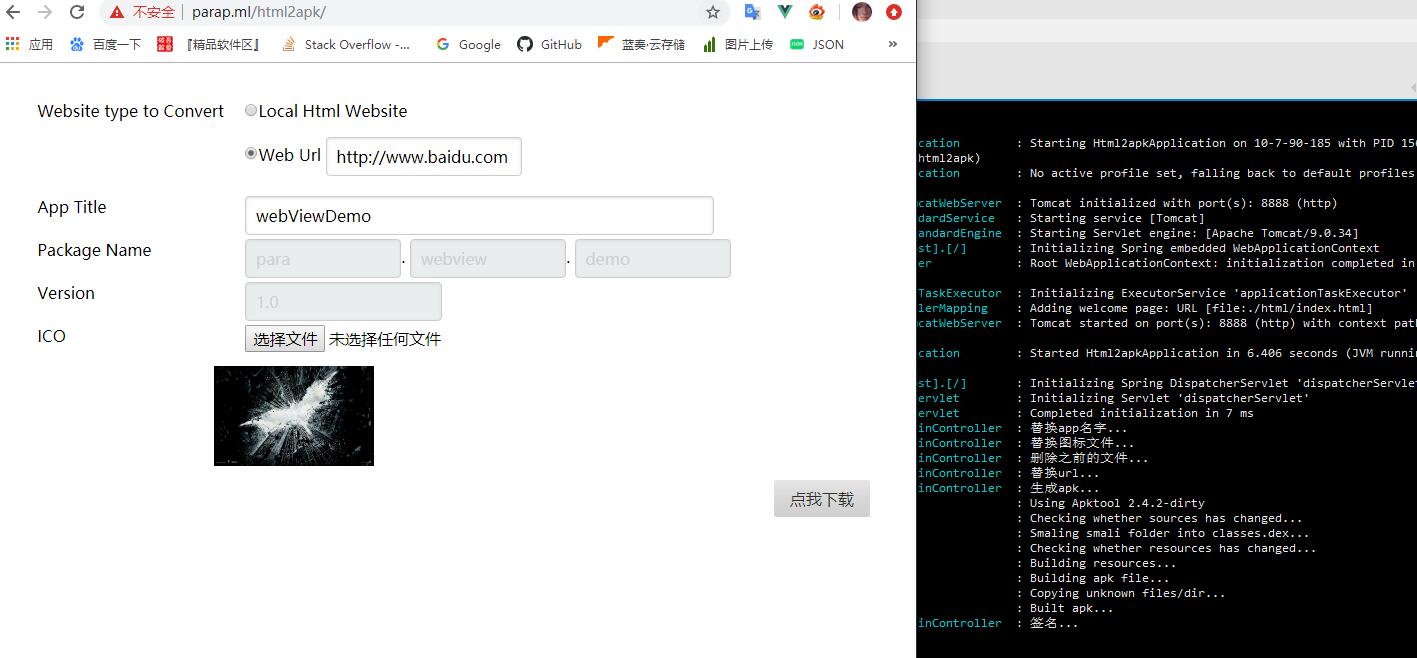
# html2apk
**Repository Path**: Dinges/html2apk
## Basic Information
- **Project Name**: html2apk
- **Description**: build Apk with html
- **Primary Language**: Unknown
- **License**: Not specified
- **Default Branch**: master
- **Homepage**: None
- **GVP Project**: No
## Statistics
- **Stars**: 2
- **Forks**: 0
- **Created**: 2021-05-17
- **Last Updated**: 2022-01-18
## Categories & Tags
**Categories**: Uncategorized
**Tags**: None
## README
# html 生成 Apk
#### 简介
+ 使用一个本地/网络的网页, 生成一个apk
+ 使用html作为UI, 可以做服务器使用, 也可以在本地使用
+ 支持使用单index.html 压缩包 和 文件夹(仅支持chrome) 3种方式
#### 需要环境
java 1.8+
#### 原理
+ 通过apktool[^1]反编译
+ 修改反编译后的内容
+ 重新编译并签名
[^1]: 1 apktool.jar 由于 org.yaml.snakeyaml 和springboot 下的版本冲突(springboot 下是1.25 apktool 下是 1.12) 必须自己编译 详见 [如何编译apktool.jar](HowtoBuildApkToolJar.md)
#### todo
+ ~~仅在windows 平台测试过~~
+ 多用户同时使用的支持
+ UI 调整
+ 支持包名的修改
+ 支持版本号修改
+ 更多关于webview的功能
- 导航条
- 进度条
- 其他的东西
#### 如何使用
+ 安装java jdk环境1.8+ 不能是jre jre 下没有(jarsigner)
+ 注意centos 下要装sun jdk 不能装openjdk 否则会没有jarsigner
+ 下载realse
+ java -jar html2apk-1.0.jar
+ 默认80 如果你想修改端口:
java -jar demo.jar --server.port=8080
+ 需包含 apk 的模板文件夹 apk
+ 需包含 前端UI文件夹 html
#### 如何编译 How to Build
+ ./gradlew for unix based systems or gradlew.bat for windows.
+ After build completes you should have a jar file at: build/libs/html2apk-xxx.jar
#### 源码地址:
https://github.com/pzx521521/html2apk/
#### centos 服务器搭建示例:
http://www.parap.ml/html2apk/
#### release:
https://lanzous.com/ictlm4d